
Your Amazon Listing Images Are The Single Biggest Lever For Growth
When we talk about Amazon listing optimization, we're not talking about keyword stuffing or tactical hacks. We are talking about engineering a high-performance sales asset, and the single most powerful lever you can pull is your product's image gallery. Images sell first; copy sells second.
This isn't about gaming the system. It's about building a brutally effective, persuasive shopping experience that forces a customer to choose you over everyone else. Get the images right, and everything else—PPC efficiency, organic rank, sales velocity—falls into place.
Your Images Are Costing You Sales. Period.
Let's be blunt: your product images are almost certainly the biggest vulnerability in your Amazon business.
Most sellers treat images as a box-checking exercise. A commodity to be outsourced and forgotten. This is a massive, margin-crushing mistake. If your images are merely "good enough," they are actively draining profit from your P&L.
This isn't about aesthetics. Weak, unstrategic images have a direct and measurable financial impact that bleeds into every corner of your operations.
The Hidden Costs of "Good Enough" Visuals
Every dollar you pour into PPC is incinerated the moment a shopper clicks through to a listing that fails to convert. A low conversion rate (CVR) is a toxic signal to Amazon's A10 algorithm, telling it your product isn't what shoppers want. The result? Your organic rank plummets.
This traps you in a death spiral: spending more on ads to compensate for nonexistent organic visibility, all while ignoring the root cause—your images simply don't sell the product.
Your product listing is a conversion machine, not a digital brochure. The images are its engine. If that engine is sputtering, the entire system fails, no matter how much ad spend you pour into the tank.
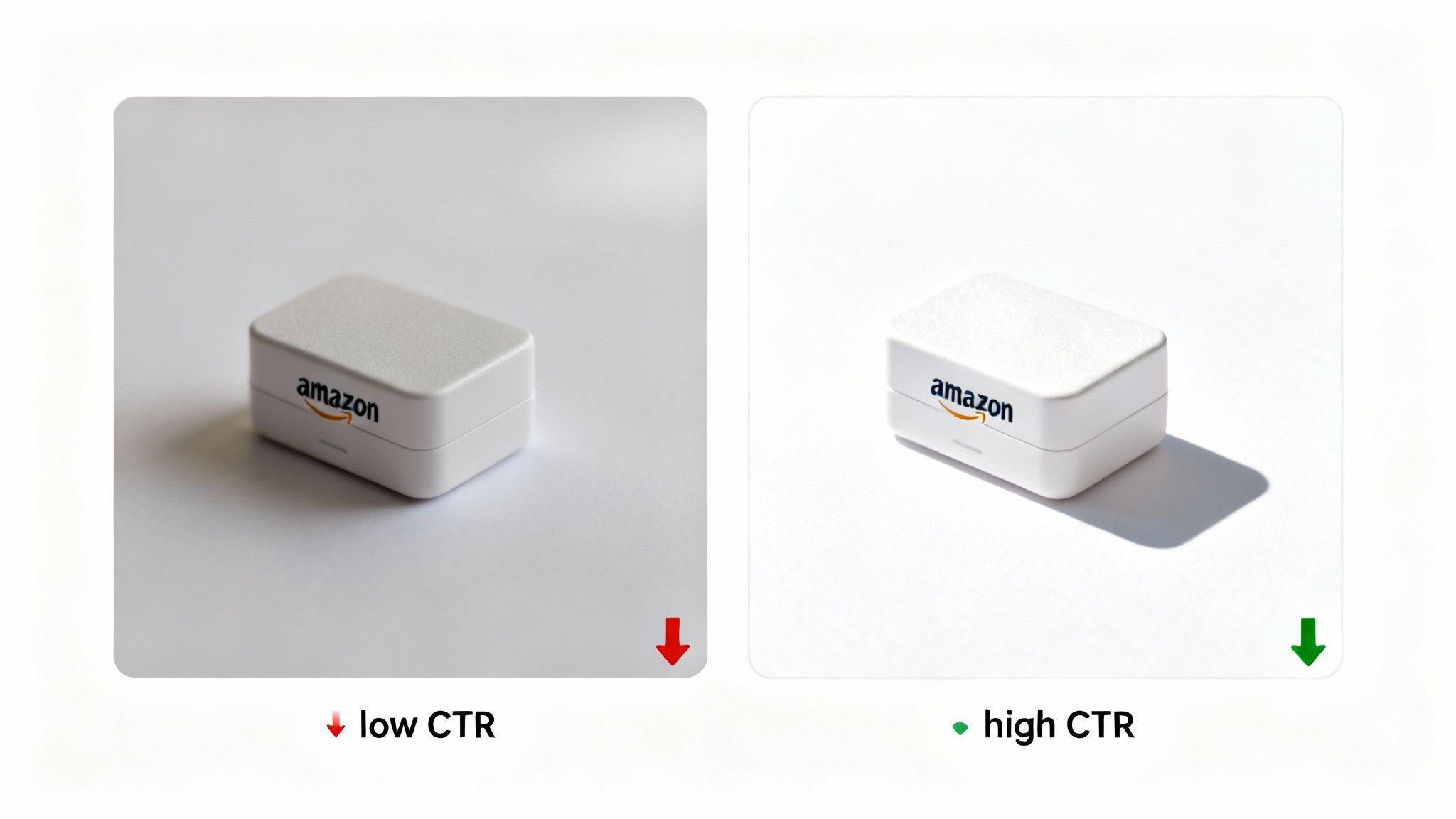
Winning The First Click Is Everything
Picture the Amazon search results page on a mobile phone. Your main image is in a street fight with a dozen competitors, all vying for the same thumb-flick. You have less than a second to stop the scroll, communicate value, and earn that click.
If your hero image is generic, dark, or fails to communicate a key benefit instantly, you've already lost. The fallout is predictable and severe:
- Low Click-Through Rate (CTR): Shoppers scroll right past, signaling to Amazon that your listing is irrelevant.
- Inflated Ad Costs: A poor CTR tells Amazon your ad is ineffective, driving up your cost-per-click (CPC).
- Anemic Sales Velocity: Fewer clicks mean fewer sessions and fewer sales—a death knell for organic ranking momentum.
It’s time to shift your mindset from "getting images done" to "engineering images to convert." A deep dive into strategic product photography for Amazon is non-negotiable. Treat your images as the force multiplier they are—the one asset that makes every other dollar you spend actually work.
Build Your Visual Strategy With Research, Not Assumptions
Stop guessing. Your assumptions about what buyers want to see are almost always wrong—and incredibly expensive.
The most sophisticated Amazon operators don't rely on intuition. They build their entire visual strategy on a foundation of hard data. Their image gallery is a targeted sales argument designed to dismantle buyer objections before the shopper even thinks to read the copy.
This process starts with deep research into the unfiltered voice of the customer. The goal is to move beyond generic product shots and create images that speak directly to a buyer’s real-world problems, questions, and desires.
Your mission is to become an expert on your customer's pain points.
Mining Reviews for Conversion Gold
The data you need is sitting in plain sight on your and your competitors' listings. You just have to systematically aggregate and analyze it to find the recurring patterns that matter.
- Competitor Reviews (1-3 stars): This is where you find your roadmap. Look for repeated complaints: "It was smaller than I expected," "The material feels cheap," or "Assembly was a nightmare." Every single complaint is a blueprint for an image that solves that specific objection.
- Customer Q&A Sections: Buyers ask questions when a listing's images and copy fail them. Every question about size, compatibility, materials, or use case is an opportunity to provide a visual answer in your image stack.
- Positive Reviews (4-5 stars): Don't just focus on the negative. Pinpoint the specific features or benefits that customers repeatedly praise. If they love the "sturdy handle" or the "vibrant color," you need images that make those attributes the hero.
By collating this feedback, you develop an undeniable, evidence-based list of what your images must communicate. You're no longer guessing that durability is a concern; you have 50 reviews proving it is. This is how you justify every single image in your gallery.
Every image must have a job. Whether its purpose is to show scale, prove durability, or create an emotional connection, it must be a deliberate choice backed by research. A pretty picture without a purpose is a wasted asset.
This data-first approach is the only way to win on the modern digital shelf. A documented relaunch of a yoga mat using this exact method saw a 156% spike in conversions and jumped from page 3 to page 1 in just 60 days. The strategy was simple: turn the top 5 complaints and top 3 compliments from reviews into dedicated images.
From Buyer Objection to Strategic Image
Once you have your research, translating it into high-converting images is a straightforward process.
If reviews consistently mention a product feels flimsy, your fourth image must be a close-up highlighting its reinforced stitching or a graphic calling out the premium materials. If buyers are confused about what’s included, your second image must be a "what's in the box" shot, clearly laying out every component.
This table shows exactly how to turn raw customer feedback into images that convert.
| Common Buyer Objection/Question (from Review Mining) | Weak Visual Approach (Common Mistake) | Strategic Image Solution (Conversion-Focused) |
|---|---|---|
| "It was much smaller than I expected from the photos." | Showing the product by itself against a white background. | An in-context image showing the product next to a common object (like a phone or a coffee mug) for instant scale, with dimensions clearly labeled. |
| "The assembly instructions were impossible to follow." | A single, cluttered "exploded view" infographic. | A simple, 3-step visual guide. One clear action per panel with minimal text. Clean, easy, and mobile-scannable. |
| "I wasn't sure if it would work with my [other product]." | No mention of compatibility, leaving the buyer to guess. | A clear infographic showing the product working with popular compatible devices/brands, using their logos to build instant recognition. |
| "The material felt cheap and plasticky." | A standard, glossy product shot that hides texture. | A macro shot showing the high-quality texture of the material, with a callout like "Premium Anodized Aluminum" or "Tear-Resistant Nylon." |
See the pattern? This isn't about creating more images; it's about creating the right images.
To dominate your niche, you must master the art of winning the digital shelf share of visibility. By replacing assumptions with research, you turn your product listing from a passive brochure into an active, high-performance sales tool designed to convert.
Engineering The Perfect Hero And Secondary Images
With your research complete, it's time to execute. This is where you translate data into pixels, engineering each image to perform a specific job with ruthless efficiency. Every shot must be designed with a mobile-first, conversion-focused mindset.
Your hero image is your single most important visual asset. It's the gatekeeper to your listing. It has one job: stop the scroll and earn the click. On a mobile device, that decision happens in a fraction of a second. The goal isn’t to be artistic; it’s to be instantly recognizable and communicate quality at a glance.
Forget soft, moody lighting. Your hero needs to pop. Think bright, crisp light and sharp focus, with the product filling at least 85% of the frame. A subtle drop shadow adds weight and a premium feel, preventing it from looking like a flat, cheap digital cutout.
A Blueprint For A High-Converting Image Stack
After the hero image secures the click, your secondary images must work together as a cohesive sales pitch. Do not just upload a random collection of product shots. A proven structure that walks a buyer through their entire decision-making process is required.
This flow shows how your research directly fuels the images you create.
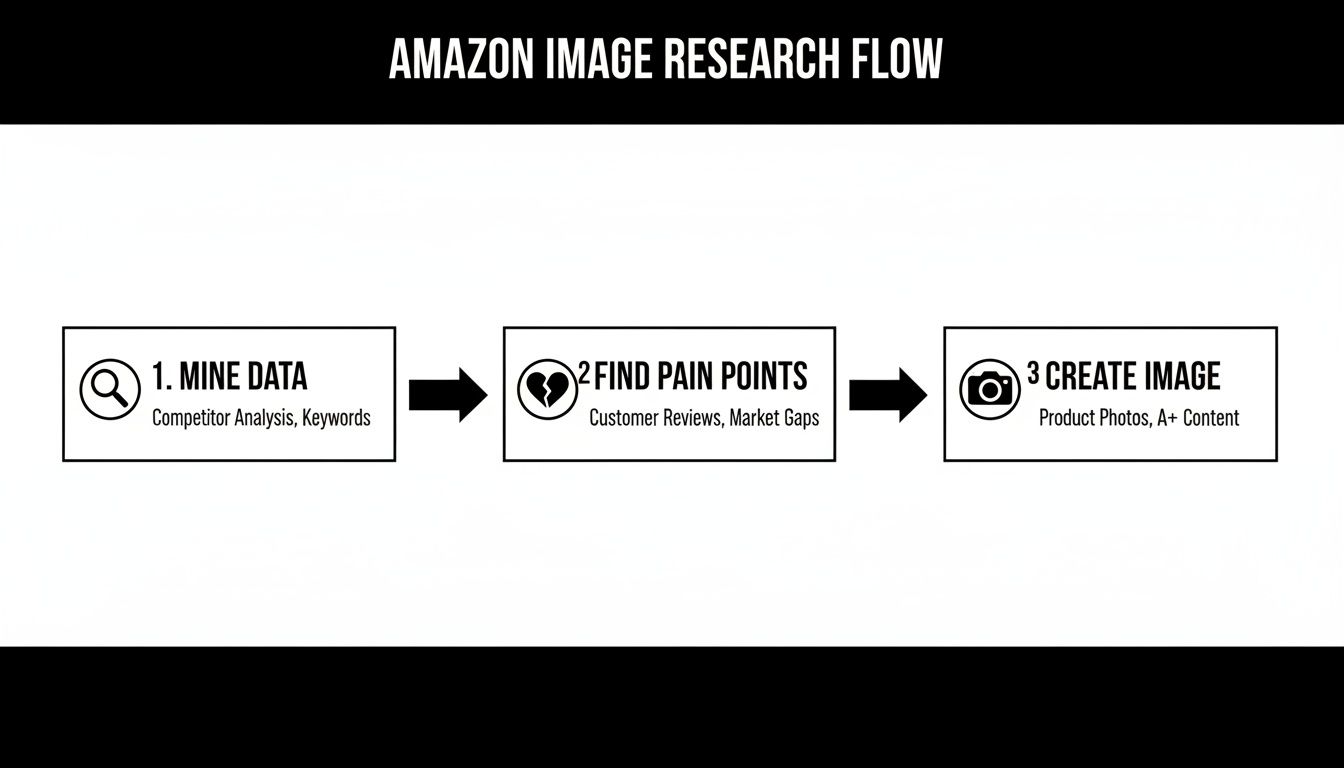
You mine the data, identify the real customer pain points, and then build the exact images needed to solve those problems. Simple, repeatable, and effective.
A winning image gallery almost always follows a specific sequence designed to address both emotional desires and logical needs:
- Slot 2 (Lifestyle/Context): Show the product in an aspirational but authentic real-world setting. This builds an emotional connection and helps the buyer visualize the end benefit. Avoid sterile, generic stock photos at all costs.
- Slot 3 (What's in the Box/Scale): Visually answer the question, "What do I get?" or "How big is it?" This sets clear expectations and reduces returns. Use a common object for scale if size is a key purchase consideration.
- Slots 4 & 5 (Infographics): Use your review-mining data to call out the top 2-3 features or benefits customers care about most. Use minimal text, large fonts, and clean icons. Make it scannable in two seconds on a phone.
- Slot 6 (Objection Crusher): Take the single biggest hesitation you found in your research (e.g., durability, complexity) and visually demolish it. Show the product withstanding stress, or illustrate a simple 3-step setup process.
- Slot 7 (Social Proof/Brand Story): Use the final slot for social proof (e.g., "Over 10,000 Happy Customers") or a simple brand mission statement. This builds trust and reinforces the purchase decision.
Messaging Hierarchy And Visual Clarity
Your image gallery has less than five seconds to communicate value. This demands a ruthless focus on messaging hierarchy. Each image should have one—and only one—primary takeaway. A common mistake is cramming five features into a single infographic. The result is a cluttered mess that buyers ignore.
Think of your image stack as a silent salesperson. The hero grabs attention. The lifestyle shot builds rapport. The infographics pitch the core benefits. The objection-crusher closes the deal by eliminating doubt.
This strategic approach to Amazon listing optimization transforms a simple gallery into a powerful conversion machine. With over half of all Amazon traffic now on mobile, where the hero image is judged instantly, this level of visual strategy is no longer optional.
By combining deep research with a proven image blueprint, you create a visual experience that speaks directly to a buyer's pain points. A complete overhaul of your listing images based on this methodology is the fastest path to improving CVR. This investment in psychology-backed visuals is how you reduce friction, boost add-to-cart rates, and make your entire marketing budget work harder.
Connecting Your Copy and A+ Content to Your Visuals
Your images do the heavy lifting, but your copy has to close the deal.
A fatal mistake sellers make is treating their text as a separate project from their visuals. This creates a jarring disconnect. When the story your images tell doesn't perfectly match the words on the page, the buyer hesitates. A hesitant buyer rarely converts.
True Amazon listing optimization requires a unified message. Your copy shouldn't just describe the product; it must reinforce the exact value props, benefits, and emotional triggers you've already established in your image gallery. Every word must support a visual.
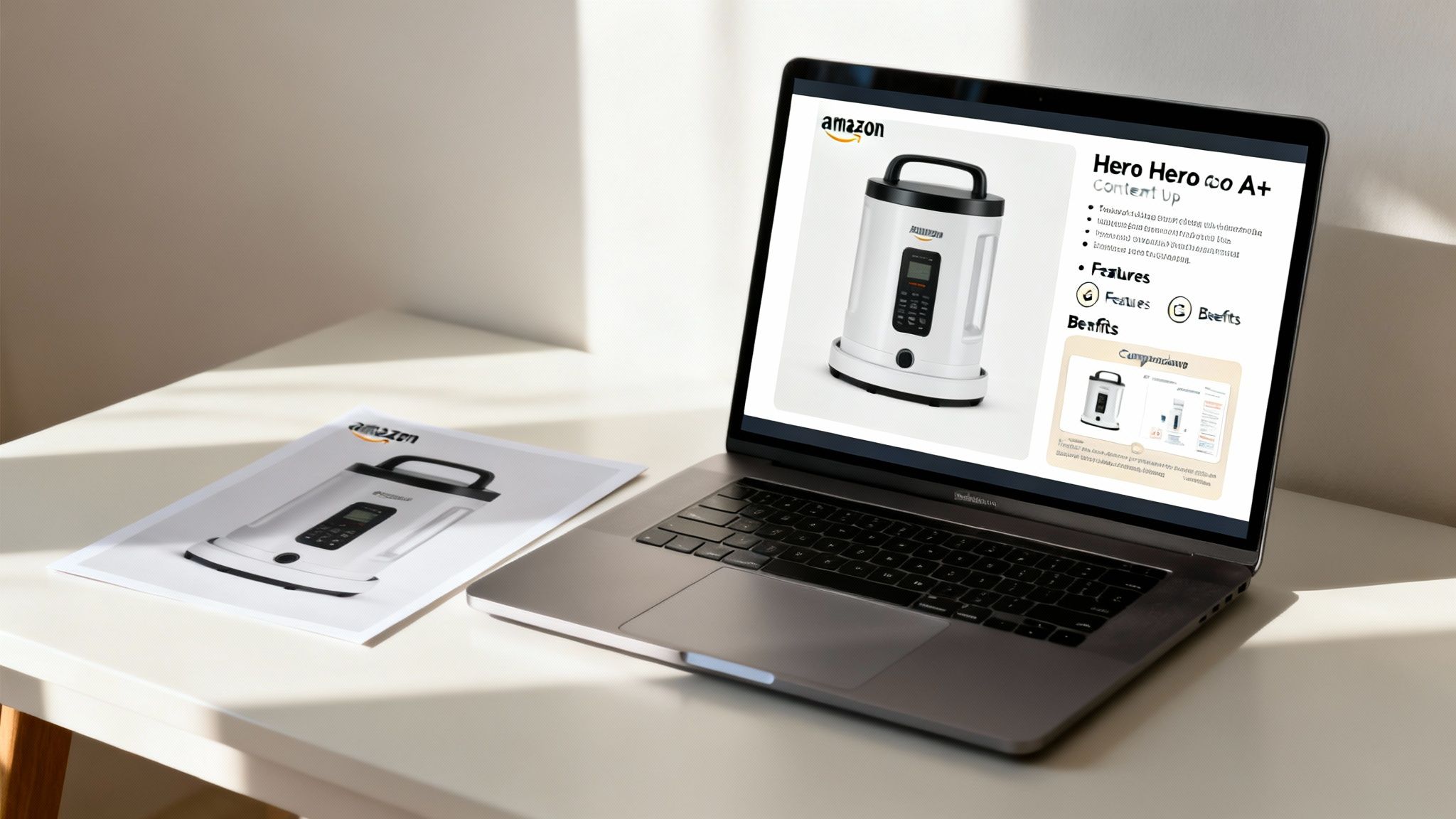
This alignment begins with your title. It's the first piece of copy a shopper reads, usually right after glancing at your hero image, and it must make the same promise. If your hero shot showcases a premium, heavy-duty build, your title must include keywords like "Heavy-Duty," "Professional-Grade," or "Unbreakable Construction."
Make Every Bullet Point Reinforce an Image
Stop thinking of your bullet points as a feature list. They are mini sales pitches designed to expand on the visual story you're already telling. The most effective structure is to have each bullet point directly correspond to one of your secondary images. This creates a seamless "show, then tell" experience.
Here’s the framework:
- Bullet 1: Connects to your Lifestyle Image (Slot 2). If the photo shows a stress-free parent using your product, the bullet leads with a benefit like "Effortless Setup For Busy Mornings."
- Bullet 2: Ties to your first Infographic (Slot 4). If the infographic calls out "2X Faster Charging," your bullet must explain what that means for the customer's life—less waiting, more doing.
- Bullet 3: Reinforces your second Infographic (Slot 5). If that visual highlights "Durable Materials," the bullet gets specific: "Built with Aircraft-Grade Aluminum to withstand daily drops and abuse."
- Bullet 4: Explains your Objection-Crusher Image (Slot 6). If the picture shows your product solving a key problem, the bullet articulates that solution clearly.
This method transforms your bullet points from a boring spec sheet into a compelling narrative that confirms what the buyer has already seen.
Use A+ Content as a Visual Closer
Too many sellers treat A+ Content as a place to dump more text and keywords. This is a massive waste of high-value real estate. A+ Content is your chance to continue the visual conversation you started in your main image gallery. It should be overwhelmingly visual, using large, high-impact images with minimal, scannable text.
Think of your A+ Content as the final chapter of your visual sales pitch. Its job is to immerse the customer in your brand story and definitively prove your product is the only smart choice.
Use A+ modules strategically. Comparison charts are incredibly effective for visually validating your claims of superiority against competitors. Feature breakdown modules with large icons and brief text can dive deeper into the tech specs you only hinted at in your infographics.
Ultimately, your copy and A+ Content exist to provide the logical justification for an emotional decision the customer already made based on your images. By aligning every word with your visual strategy, you create a frictionless path to purchase.
How To Measure And Iterate Your Visual Strategy
Getting a new set of research-driven images live isn’t the finish line. It’s the starting block.
Optimization is a continuous loop: test, measure, refine, repeat. The real work begins the moment you start gathering data to validate your visual hypothesis—and identify where you can improve it further.
This is where most sellers fail. They upload new images, see a small bump, and move on, never establishing a data-driven feedback cycle. You must treat your listing as a dynamic asset that is constantly tuned based on hard numbers, not gut feelings.
Identifying The KPIs That Actually Matter
Forget vanity metrics. When measuring the performance of your images, only a few key performance indicators (KPIs) truly move the needle. These numbers tell you if your visuals are stopping the scroll, earning the click, and closing the sale.
- Click-Through Rate (CTR): This is the report card for your hero image. A higher CTR means your main image is winning the fight for attention on a crowded search results page.
- Unit Session Percentage (Conversion Rate): This is the most critical metric. It's the percentage of visitors who buy. It measures how effectively your entire image gallery and listing content persuade shoppers to Add to Cart.
- Organic Keyword Rank: While influenced by many factors, rank is deeply tied to sales velocity. When your CVR increases, you get more sales from the same traffic. More sales signal to Amazon that your product is relevant, which boosts organic visibility over time.
These core metrics provide an unbiased verdict on your efforts. You can learn more about how to track your Amazon listing’s performance and stay on top of these numbers.
Turning Optimization Into A Discipline
The single most powerful tool for this is already in your Seller Central account: Amazon’s ‘Manage Your Experiments’ feature.
This is your weapon for A/B testing your hero image and A+ Content. It removes all guesswork. Want to know if a 45-degree angle shot beats a straight-on one? Or if showing a key accessory in the hero image grabs more clicks? Let the data decide.
For any serious operator, this is non-negotiable. Run experiments for at least four to six weeks to achieve statistical significance.
Don't get fixated on hitting a home run on the first try. The goal is validated learning. Every experiment—win or lose—teaches you something valuable about your customer's psychology. You take that insight and roll it into the next iteration. This is the core of effective optimization.
This evidence-based approach is what Amazon's algorithm is built to reward. Well-optimized listings see gradual, steady gains—subtle shifts in impressions and clicks that compound into dominant organic visibility as sales velocity grows.
When you commit to this cycle of continuous improvement—launch, measure, test, repeat—you turn optimization from a one-time project into a core business process. You use real performance data to prove your research was on target and to inform every visual decision going forward.
Your Listing Is A Conversion System, Not A Brochure
Let's be clear about Amazon listing optimization: your product page is not a static brochure. It's a dynamic conversion system—and your images are the engine that powers it.
Too many brand owners treat their listing like a one-and-done task. They upload photos and copy, then move on. That is a guaranteed recipe for failure on a platform as brutally competitive as Amazon.
A high-performing listing is an engineered sales asset requiring constant attention and strategic iteration. Every element, from the hero image that stops the scroll to the A+ content that closes the deal, must be meticulously planned, executed, and measured. That plan must be built on solid buyer psychology and hard data, not guesswork.
Images Are Your Primary Lever
Here’s the simple truth: stop thinking of your listing as a product page and start treating it as your #1 salesperson. Your images are the first—and often the only—pitch a customer will ever see.
In seconds, they must establish trust, crush objections, and create an undeniable desire to buy. Your copy is there to confirm the decision, but the images make that decision happen in the first place.
Investing in research-driven, conversion-focused visuals is not an operational expense; it is the highest-leverage investment you can make in your Amazon business. It is a force multiplier that directly improves PPC efficiency, drives organic rank, and builds a defensible brand.
When you engineer your images based on what customers are already telling you in reviews and Q&As, you create a frictionless path to purchase. This is how you win. This is how you achieve sustainable growth and profitability.
The Final Takeaway
Every other part of your Amazon strategy—PPC campaigns, keyword targeting, inventory management—instantly becomes more effective when your conversion rate is high.
And the single biggest lever you can pull to increase your conversion rate is your image stack.
This requires a fundamental shift in thinking. Instead of asking, "Are my images good enough?" you must start asking, "Are my images engineered to sell?"
If you're ready to see how a research-first approach to visuals can transform your listing's performance, you can explore the entire process from start to a successful order. It's time to build a system, not just a page.
Common Questions from Serious Sellers
Let's cut through the noise. Here are direct answers to the questions experienced sellers ask about Amazon image optimization.
How Long Until I See Real Results?
You might see a lift in Click-Through Rate within a week of changing your hero image, but don't expect an overnight explosion. Meaningful changes in conversion rate and organic rank take 4-8 weeks to materialize.
Amazon’s algorithm needs to see a sustained pattern of improved performance—higher Unit Session Percentage and increased sales velocity—before it rewards your listing with a long-term boost in visibility. Be patient and focus on CVR as your north-star metric.
Is a Video in My Image Gallery Worth It?
If you have Brand Registry and can execute it professionally, yes. A well-produced video can demonstrate quality, explain a complex feature, or show a use case in a way static images cannot. It is a powerful tool for building trust and demolishing major buyer objections.
But be warned: a cheap, poorly-made video is far worse than no video at all. It must be professional, designed for mobile (vertical or square), and get straight to the point in the first five seconds. It should support your image strategy, not replace it.
How Important Is A/B Testing My Hero Image?
It is absolutely critical. Your hero image is the single most important factor in getting a shopper to click your listing instead of a competitor's. Even a fractional lift in CTR can trigger a cascade of more traffic, sessions, and sales.
Use Amazon's 'Manage Your Experiments' tool. Test one variable at a time—the product angle, its scale in the frame, a different shadow. Let the test run for at least four to six weeks to get statistically significant data. This is how you make confident, profitable decisions.
Should I Just Copy What My Competitors Are Doing?
No. That is the fastest way to become invisible and compete on price. Analyzing competitor images is a critical research step, but the goal is to identify their weaknesses and create something demonstrably better. Copying them just means you're competing to be average.
Instead, dig into their 1-3 star reviews. Find out what their images fail to show or explain. If their lifestyle shot is generic, make yours aspirational and specific. Your job is to visually prove you solve the customer’s problem better than anyone else on the page.
Ready to stop guessing and start engineering images that sell? ProductShots delivers a complete set of seven research-driven, conversion-focused images in just a few days. See how we can overhaul your listing.