
Your Amazon Product Photography Is Your #1 Sales Driver. Stop Treating It Like an Afterthought.
Your product photography is the single most powerful sales tool you have on Amazon. Full stop.
It's what earns the click, builds trust, and secures the purchase before a customer reads a single word of your copy. If your images are merely "good enough," you're not just underperforming—you're actively bleeding sales to competitors who understand that images sell first.
Why Your Amazon Images Are Sabotaging Your Conversion Rate
As an experienced Amazon seller, you're past the basics of white backgrounds and decent lighting. The real question is whether your images are just showing your product or strategically selling it.
That gap costs you money every day. It cripples your conversion rates (CVR), tanks your click-through rates (CTR), and inflates your PPC costs.
Your images are the first—and often the only—impression a buyer gets. They instantly signal quality, trustworthiness, and value. Mediocre photos make your product look cheap, regardless of its actual quality or price point. They create friction and doubt, forcing your copy and A+ Content to work overtime to salvage a poor first impression.

The Direct Cost of "Good Enough" Imagery
Underperforming images are not a passive weakness; they are an active drain on your profitability. Here’s how they systematically gut your Amazon performance:
- Lower Click-Through Rate (CTR): Your main image is all a shopper sees in search results. A weak hero shot is scrolled past, sending traffic—and sales—directly to your competitors.
- Reduced Conversion Rate (CVR): Once on your listing, shoppers use your image carousel to answer their questions and justify the purchase. If your photos fail to demonstrate value or resolve their core objections, they bounce.
- Wasted PPC Spend: You pay for every click. When that click lands on a listing with unconvincing images, you are paying to send customers away. Strategic images make every ad dollar work harder, directly improving your ACoS.
In a marketplace as saturated as Amazon, visuals are your primary competitive lever. Research consistently shows that a majority of consumers consider image quality the single most critical factor in their purchasing decision. Getting it right can boost conversions significantly. For a deeper dive into how visuals drive sales, see the analysis at nightjar.so.
Think of your product photography as a direct investment in your conversion rate, not an expense. It is the primary lever you can pull to increase sales velocity, improve organic rank, and build a brand with genuine pricing power on the platform.
The Pre-Shoot Blueprint: Engineering a High-Conversion Shot List
Winning on Amazon happens before the camera ever comes out of the bag.
Most sellers treat photoshoots as a creative exercise, guessing what might look good. Elite operators use a data-driven blueprint to engineer visuals that are guaranteed to convert. This is about treating your photoshoot like a strategic market takedown, not an art project.
The goal isn't "pretty pictures." It's to identify the visual gaps your competitors have left open and ruthlessly exploit them. We will deconstruct your niche to build a shot list where every image has a specific sales job. This is the difference between hoping for sales and manufacturing them.
Reverse-Engineer Top Competitor Imagery
First, pull up the top three to five organic competitors for your primary keyword. Ignore their BSR and sales volume for now. Your focus is entirely on their visual strategy.
Dissect their seven-image carousel with brutal honesty.
Ask:
- What objections are they addressing? Are they proving its size, highlighting material quality, or demonstrating ease of use?
- What benefits are they highlighting? Do their lifestyle shots sell a tangible outcome—like saving time or achieving peace of mind—or just show a generic person in a bland setting?
- Where are they weak? Is their infographic text unreadable on mobile? Are their compositions cluttered and confusing? Is the fifth image a lazy, repetitive angle?
This audit reveals the existing visual conversation in your market. Your job is to enter that conversation, execute better where they are strong, and attack the critical selling points they completely ignore.
Mine Customer Reviews for Visual Gold
The most valuable intel you will ever find comes directly from real buyers. Dive into the one, two, and three-star reviews for your own product and for your top competitors. This is where customers reveal their unmet expectations and core frustrations. These are the exact pain points your images must solve.
Look for recurring phrases: “smaller than I expected,” “a nightmare to assemble,” or “didn’t work for my use case.” Every complaint is a blueprint for a future image. If customers say it’s flimsy, your images must scream durability. If they are confused about a feature, an infographic must make it crystal clear in three seconds.
Positive reviews are equally critical. When a five-star review says, "I love how this simplified my morning routine," that's your shot list. Your lifestyle image isn't just a person holding the product; it's a person experiencing that simplified morning. You are visually confirming the exact outcome they desire.
This research-first approach transforms your product photography for Amazon from a simple showcase into a powerful machine for crushing objections and amplifying benefits.
For sellers seeking deeper insights into regional competition, the best geo tools for Amazon sellers can be useful. Armed with this intelligence, you are ready to build a strategic shot list—the foundation of a high-performing image set that a professional service like ours at https://azprodshots.com/order can execute.
Building Your 7-Image Conversion Machine
Your seven image slots are not a gallery; they are your entire sales pitch, delivered in seconds. Most sellers waste this prime real estate with repetitive angles or aesthetically pleasing but pointless filler.
We will not make that mistake.
We will treat each slot as a strategic asset. The goal is to build a visual argument so compelling that a purchase becomes the only logical conclusion.
Forget generic advice. Every image must have a job, from winning the click in crowded search results to dismantling buyer objections before they can even form. This is how you weaponize your image block. To build this correctly, understanding the core principles of how to improve conversion rates is key; the psychology of reducing friction and proving value applies directly.
The Hero Image: Your Only Job Is to Win the Click
Let's be blunt: your main image is your most important asset. Its sole job is to stop the scroll and earn the click.
It must be clean, sharp, and showcase the product perfectly on a pure white background (RGB 255, 255, 255). There are no exceptions. Amazon's policy is inflexible on this.
The most common mistakes here are also the most fatal. Adding logos, text, or badges is a fast track to listing suppression. Using an off-white background signals amateurism. A poorly lit product screams low quality. Your hero image must instantly communicate what your product is and signal that it's a premium option.
The hero image is not for selling features; it's for selling the next click. Optimize it for how it appears as a tiny thumbnail, because that is how 99% of shoppers will first encounter it.
Crafting the Other Six Images to Close the Deal
Once they click, the real work begins. The next six images are your sales floor. This is where you answer questions, prove value, and demonstrate to shoppers exactly why your product is the superior solution.
This strategy is a direct result of the research you conducted in the planning phase.
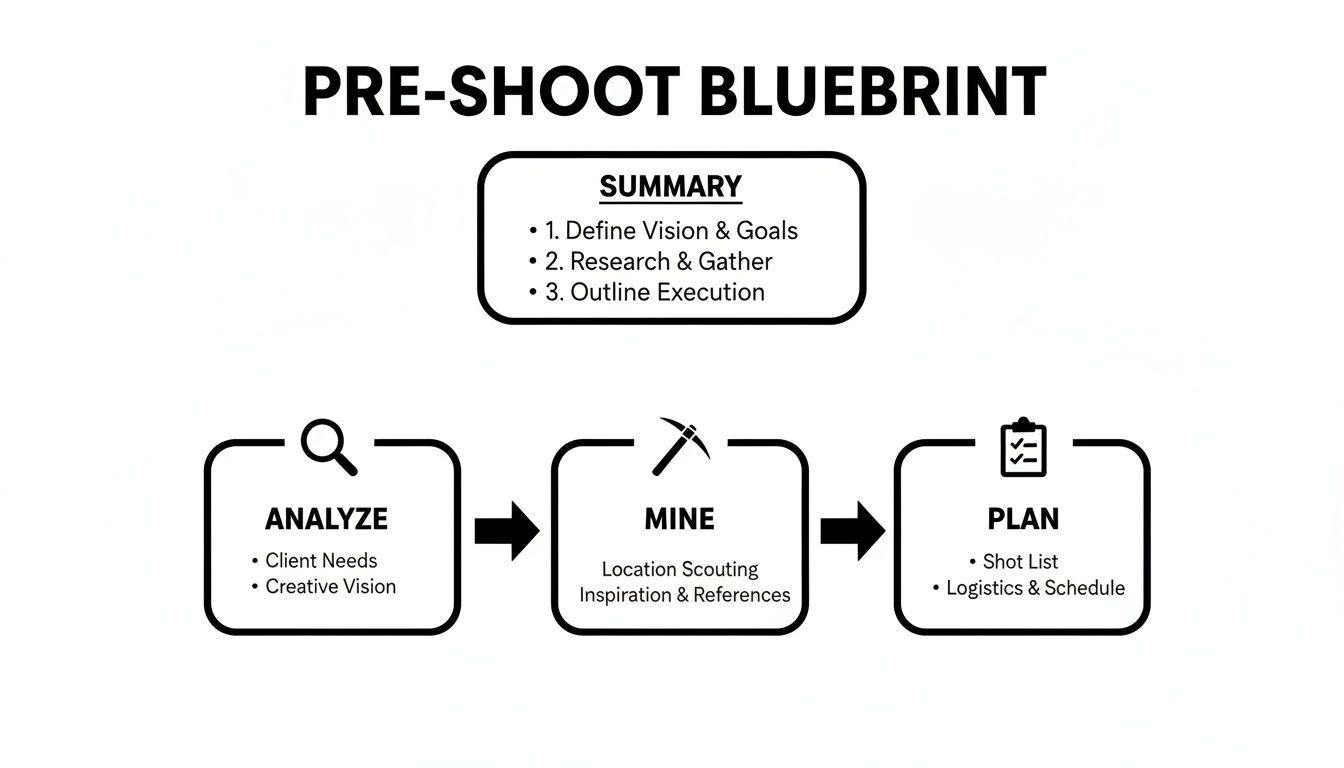
That blueprint—analyze, mine, plan—feeds directly into the 7-image framework. This is how you organize your research into a conversion-focused sequence.
The Strategic 7-Image Amazon Framework
This isn't a list of photo ideas; it's a proven narrative structure. Each image builds on the last, guiding the customer from interest to "add to cart."
| Image Slot | Primary Goal | Content Focus |
|---|---|---|
| Image 1: The Hero | Earn the click | Crystal-clear product on pure white background. |
| Image 2: Infographic 1 | Highlight top benefit | Visually explain your #1 selling point. Answer "Why this?" |
| Image 3: Infographic 2 | Showcase key feature | Detail another major benefit or a critical feature. |
| Image 4: Lifestyle/In-Use | Create emotional connection | Show the product in its element, solving a real problem. |
| Image 5: Context/Scale | Set expectations | Show the product's size, what it fits, or who it's for. |
| Image 6: Objection Crusher | Remove doubt | Directly address the #1 reason a buyer might hesitate. |
| Image 7: Trust Builder | Close with confidence | Brand story, "what's in the box," or social proof. |
This framework ensures you cover all strategic bases, leaving no room for a potential buyer to second-guess their decision.
A Deeper Look at Your Secondary Images
Images 2 & 3: The Infographic Power Play
These slots are for your unique selling propositions. These are not boring lists of features. They are benefit-driven callouts that answer the shopper's silent question: "So what?"
- Benefit-Focused Text: Keep text minimal and in a large font that is legible on a phone. Focus on the outcome, not the spec.
- Visual Cues: Use arrows, icons, or dimension lines to quickly communicate size, materials, or key parts.
Images 4 & 5: Lifestyle and In-Context Shots
This is where you sell the transformation. Show your product in its natural environment, solving the exact problem it was designed for. A sterile product on a white background is an object; a product being used by a happy person is a solution.
These shots help the buyer visualize themselves using your product—a powerful psychological nudge toward purchase. You can find more tips on building these visual narratives on our blog.
Image 6: The Objection Crusher or Comparison Chart
Return to your research. What's the biggest complaint about competitors? What's the number one reason for hesitation? Dedicate this image to crushing that single point of friction.
If competitors' products are flimsy, show a close-up of your durable materials with a text overlay like "Built to Last." An alternative is a simple comparison chart demonstrating why your product is the obvious, superior choice.
Image 7: The Social Proof or Brand Story
Your final image is your closing argument. It’s your chance to build trust and close the deal. This could be a graphic featuring a powerful quote from a five-star review, a "What's in the Box" diagram to set clear expectations, or a graphic reinforcing your brand’s guarantee.
Mastering Technical Execution and Mobile Optimization
Poor technical quality is the fastest way to signal you are an amateur seller. It is a trust killer. Before a customer reads your first bullet point, a blurry or poorly lit photo has already told them your product is probably cheap.
Getting the technical details right is not about appeasing an algorithm. It is about proving your product’s quality from the first glance. These are non-negotiable standards for any serious brand.
The biggest mistake sellers make is treating these rules as a checklist instead of the foundation for a trustworthy visual sales pitch.
Non-Negotiable Technical Specs
Your images must meet Amazon's baseline requirements to display correctly. Hitting the minimum is a recipe for blending in. The goal is to exceed the minimum to deliver a superior customer experience, especially with the zoom function.
These are the absolute must-haves:
- File Format: Use JPEG, TIFF, or PNG. For most applications, JPEG provides the optimal balance of quality and file size.
- Color Mode: Stick to sRGB color mode. Uploading in CMYK (for print) will result in dull, inaccurate colors on screen—a deal-breaker.
- Naming Convention: A simple but critical detail. Name files using the product identifier—ASIN, UPC, EAN, or ISBN—followed by a period and the file extension (e.g.,
B00EXAMPLE.jpg). This prevents upload errors.
Bad lighting that creates harsh shadows or blows out details cheapens your product. Inconsistent editing makes your brand feel sloppy. These are not creative choices; they are conversion killers.
A technically perfect image does more than meet Amazon's rules. It builds subconscious trust. It tells the buyer, "This seller is professional, this product is high-quality, and what you see is what you will get."
Designing for a Mobile-First World
If you are not optimizing for mobile, you are willingly sacrificing sales. This is no longer optional—it's malpractice.
Over 50% of Amazon traffic in major markets like the US comes from mobile devices. Your images must be crystal clear and instantly understandable on a small screen. They need to be a minimum of 1000x1000 pixels, but the ideal is 3000x3000 pixels. This enables a crisp, detailed zoom that lets shoppers inspect quality. You can get a closer look at the data and learn more about Amazon's image requirements.
This mobile-first mindset should drive every decision. Any text on your infographics must be large and punchy. Compositions must be simple and clean.
If a buyer has to squint to understand a feature on their phone, you have lost them. Before uploading, test every image on your own phone. This simple step reveals critical flaws invisible on a large desktop monitor.
For more guidance on creating a full set of conversion-focused images, review our comprehensive approach at https://azprodshots.com/.
Post-Production That Drives Conversions
The photoshoot is only half the battle. Raw images are potential; post-production turns them into high-converting sales assets. This isn't about applying a quick filter—it's a deliberate workflow designed to build trust, communicate value, and drive the "Add to Cart" click.
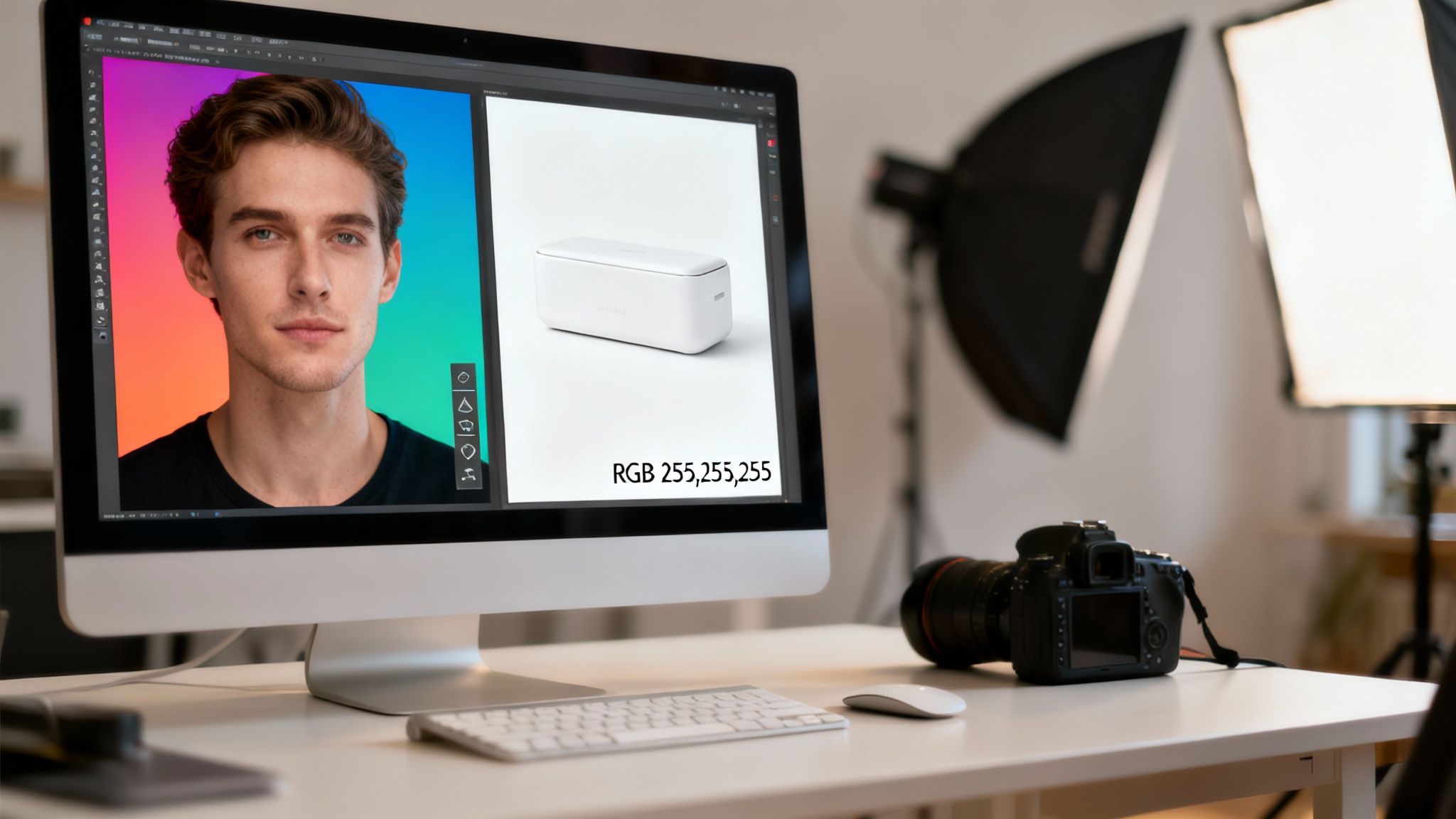
Many sellers assume a simple background removal is sufficient. This mistake is costly. Professional post-production ensures every image is optimized for how people shop on Amazon. It is the final 10% of effort that delivers 90% of the visual impact.
Refining the Hero and Secondary Images
Your main image must have a pure white background. Period. This is a hard rule from Amazon, and the technical standard is RGB (255, 255, 255). Anything less—light grey or off-white—looks amateurish and risks listing suppression. Nail this first.
For your other images, post-production is a messaging tool. This is where you overlay text and graphics to turn a picture into a silent salesperson.
- Create a Clear Visual Hierarchy: The most important benefit gets the largest text. Guide the shopper's eye with an obvious flow of information. Do not make them work for it.
- Design for Mobile First: Stick to bold, sans-serif fonts. Ensure text is large enough to be instantly readable on a phone without zooming. If a shopper has to squint, you've lost them.
- Use Strategic Callouts: Use arrows, circles, and dimension lines to point out specific features identified in your research. Connect the visual directly to a buyer's pain point or desired outcome.
The purpose of text and graphics is not decoration; it is to accelerate comprehension. A shopper should grasp your product's core benefits in under three seconds, simply by glancing at your images.
Optimizing for Speed and Performance
Once images are edited and annotated, the final step is preparing them for upload. This technical detail directly impacts user experience and your ranking. Large, uncompressed files slow your listing’s load time, which Amazon penalizes.
Your job is to find the sweet spot between image quality and file size. Export final images as JPEGs, ensuring they remain under Amazon's file size limits while looking crisp. A good rule of thumb is to aim for the highest quality setting that keeps the file under 1-2 MB. Fast-loading images are non-negotiable for retaining impatient mobile shoppers.
To understand how professional visuals are created from start to finish, you can learn more about our philosophy on our about us page. It is a research-driven process that informs every decision, from shot list to final export settings.
Common Questions About Amazon Product Photography
Even with a solid plan, questions will arise. Here are the most common ones, with direct answers to keep you moving.
How Much Should I Budget for Photography?
This is the wrong question. The right question is: "What is the ROI of my product images?"
Your images are not a cost. They are an investment in your conversion rate, ad spend efficiency, and pricing power.
A cheap photoshoot that fails to convert costs infinitely more in lost sales and wasted ad spend than a strategic, research-driven shoot that improves your CVR by a few points. The goal is not "good enough" photos; it's a superior visual argument compared to your top competitors. For most sellers, this means budgeting several hundred dollars for a complete set of seven conversion-focused images.
Your product photography is not another line item in your COGS. It's the engine that drives every other investment you make on Amazon. Skimping here is penny-wise and pound-foolish.
How Do I Handle Product Variations?
The rule for handling color, size, or style variations is brutally simple: each child ASIN needs its own complete set of seven strategic images.
Do not simply photoshop a new color onto your main product. This is a massive, unforced error. While some secondary images—like a brand story or a common feature infographic—may be reusable, your hero, lifestyle, and key benefit shots must be unique to that specific variation.
A customer viewing the red version wants to see the red version in a real-life context. They do not want to see a lazy, color-swapped image of the blue one. This level of detail builds trust and eliminates decision friction, directly improving your add-to-cart rate for each variation.
How Often Should I Update My Images?
Update your images when the data tells you to. Your listing is a living asset, not a static brochure. Your images should evolve based on market feedback. If your conversion rate is high and reviews are strong, leave it alone.
However, it's time for a refresh if you see these signals:
- A new competitor emerges with a superior visual strategy that makes yours look dated.
- You identify a pattern in negative reviews that a new image could solve (e.g., "smaller than I expected" or "I didn't realize it needed batteries").
- You have improved the product based on customer feedback and need to showcase the new feature.
Finally, never change all seven images at once. This is asking for trouble. A/B test one new image at a time to isolate what works and what doesn't, preventing an accidental drop in your conversion rate from a wholesale change that misses the mark.
Stop leaving money on the table with "good enough" visuals. At ProductShots, we create research-driven Amazon listing images designed to convert. Our entire process is built to turn your image block into a high-performance sales asset. Get your complete set of seven strategic images at https://prodshots-hadzm8fa.manus.space.