Amazon Main Image Rules: Stop Getting Suppressed and Start Converting
March 15, 2026
Your Main Image is Sabotaging Your Amazon Sales. Here's How to Fix It.
Your main image isn't a formality. It’s the single most important asset you have for winning clicks and driving sales on Amazon. Get it wrong, and you’re not just non-compliant—you're invisible. Amazon's official main image rules are non-negotiable: a pure white background, the product alone, and zero text or logos. Violate them, and Amazon suppresses your listing from search. Your sales die on the spot.
This guide isn't about just staying compliant. It's about weaponizing your main image to dominate the search results, drive higher click-through rates (CTR), and improve conversion.
Your Main Image Is Your Highest-Leverage Asset
Stop treating your main image as a compliance checkbox. It’s the tip of the spear for your entire Amazon strategy. In the split-second a shopper scans the search results, your main image either earns the click or you lose to a competitor. A powerful main image builds instant perceived value, separates you from a sea of lookalikes, and pre-sells the customer before they even see your price or bullet points.
From Click to Conversion: The Force Multiplier Effect
The impact of a superior main image goes far beyond the initial click. It directly makes your PPC spend more efficient.
A higher CTR signals relevance to Amazon's ad algorithm, leading to lower costs-per-click (CPC) and better ad placements. That same CTR improvement tells the A10 algorithm your listing is a strong match for the search query, which is a powerful catalyst for organic ranking.
Your images sell first, copy sells second. An exceptional main image makes your price less of a factor, your ads more efficient, and your brand more memorable. It is the highest-leverage asset you have on the platform.
Your images sell first, copy sells second. An exceptional main image makes your price less of a factor, your ads more efficient, and your brand more memorable. It is the highest-leverage asset you have on the platform.
The Real Impact of Strategic Images
This isn't theory. The data proves that investing in strategic, high-quality images delivers one of the highest returns possible for an Amazon seller.
Listings with seven or more images see a 32% higher conversion rate than those with only four. This comes from using a smart mix of visuals—lifestyle images add an 18% lift and infographics another 8%. Even bumping your image size from the 1,000-pixel minimum to 2,000 pixels can boost mobile conversion by 18%. You can explore the research on Amazon product photo requirements to see the numbers yourself.
Your main image initiates this entire journey. It’s the visual handshake that determines if a shopper investigates further or keeps scrolling. If you're ready to see how research-driven visuals can elevate your listings, check out our approach to creating high-conversion Amazon images.
Mastering the Technical Image Requirements
Getting the technical specs wrong isn't a small mistake. It’s an automated tripwire that gets your listing instantly suppressed by Amazon's bots, killing sales velocity and tanking your rank before you even know what happened.
Many sellers think they know the rules but stumble on the details, which is why we wrote a full breakdown of Amazon's image requirements. The "white background" rule isn't just an aesthetic guideline; Amazon's system scans for a specific, pure white: RGB (255, 255, 255). A faint shadow or a slight off-white tint is enough to trigger a suppression flag.
Your main image is the front door to your sales funnel. Fail this basic technical check, and buyers never get the chance to click.
This path from search to sale is brutally simple, and it all starts with a compliant, clickable main image.
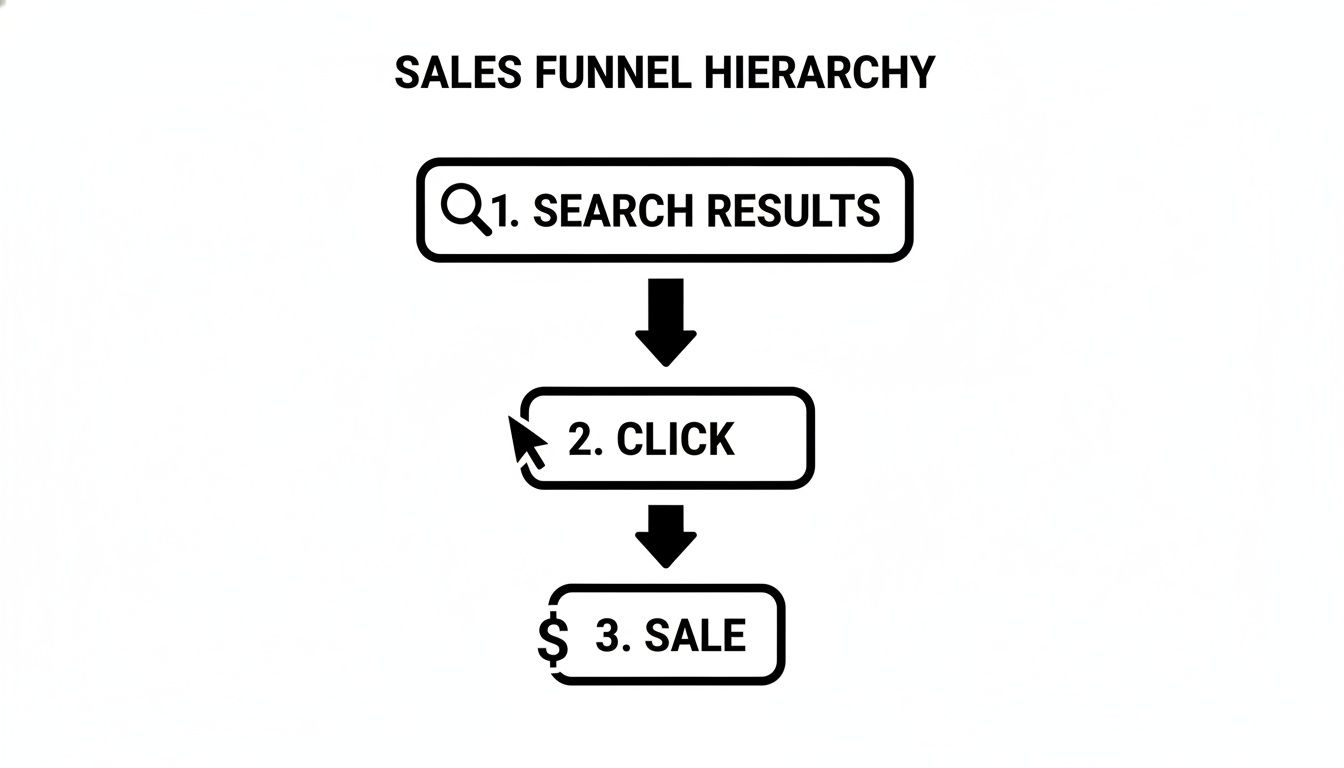
As you can see, every sale starts with that first click from the search results page. That click is won or lost almost entirely by your main image's ability to both follow the rules and grab attention.
Beyond the Background: The Non-Negotiable Specs
The pure white background is just the beginning. Several other technical specs are completely non-negotiable, designed to create a uniform, professional, and zoom-friendly experience for every buyer. Get any of them wrong, and you're at risk.
- Pixel Dimensions: Your image must be at least 1,000 pixels on its longest side. Go smaller, and Amazon disables the zoom function—a massive blow to conversions, especially on mobile. The professional standard is 2,000 pixels or larger for a crisp, detailed zoom experience.
Pixel Dimensions: Your image must be at least 1,000 pixels on its longest side. Go smaller, and Amazon disables the zoom function—a massive blow to conversions, especially on mobile. The professional standard is 2,000 pixels or larger for a crisp, detailed zoom experience.
- File Formats: Stick to the script. JPEG is king for its balance of quality and file size. TIFF and PNG are also acceptable. Animated GIFs are strictly forbidden and guarantee rejection.
File Formats: Stick to the script. JPEG is king for its balance of quality and file size. TIFF and PNG are also acceptable. Animated GIFs are strictly forbidden and guarantee rejection.
- Frame Coverage: The product itself must occupy at least 85% of the image frame. This isn't an aesthetic choice; it’s a rule designed to make your product the hero, ensuring it’s clearly visible even as a tiny thumbnail on a crowded search results page.
Frame Coverage: The product itself must occupy at least 85% of the image frame. This isn't an aesthetic choice; it’s a rule designed to make your product the hero, ensuring it’s clearly visible even as a tiny thumbnail on a crowded search results page.
Think of these specs as the foundation of your listing. If the foundation is flawed, everything you build on top—your A+ Content, PPC campaigns, and brand story—is at risk of collapsing. Technical compliance is the cost of entry.
Minimum Effort vs. Maximum Impact
Meeting the minimum requirements is a defensive play to avoid suppression. A proactive, optimization-focused approach uses these same rules to build a competitive edge.
The following table breaks down the difference between just staying out of trouble and actively driving sales. For a complete deep-dive, you can always check out the official Amazon image guidelines.
Amazon Main Image Technical Specifications At-a-Glance
Auditing your images against the "Recommended" column is one of the highest-leverage activities you can perform. It's the difference between being merely present and being truly competitive.
If you're ready to take your entire visual strategy to the next level, start with our guide to Amazon image requirements for full technical specs, then move on to listing images that actually convert for the strategic playbook.
The Content Violations That Get You Suppressed
Getting the technical specs right is just the entry fee. The real battle—and where most sellers fail—is with content violations. These are the often maddeningly vague rules about what can and cannot appear in your main image.
Technical rules are black and white. Content rules are a minefield of gray areas. One wrong move and your listing vanishes from search, your ads stop delivering, and your sales grind to a halt. Amazon's bots are ruthless and rarely provide a clear reason for the suppression.

The Absolute Ban on Text, Logos, and Badges
This is the single most violated rule on the platform. Your main image must be completely sterile, like a product photo in a high-end catalog, not a marketing graphic.
This means absolutely no:
- Text of any kind: Forget promotional callouts like "Sale" or "New." Don't even think about adding dimensions, features, or warranties.
- Logos or watermarks: Your brand logo is forbidden on the main image. Watermarking your photos is also a guaranteed way to get suppressed.
- Badges or icons: This includes everything from "Made in the USA" flags to "100% Organic" seals. Save those for your secondary images or A+ Content.
The only exception? Text that is physically part of your product, like the brand name printed or engraved on the item itself. If you added it in post-production, it's a violation.
The Tricky Rules for Props and Packaging
The guiding principle is simple: the main image must show only the product the customer will receive. Anything else is considered potentially misleading and can trigger suppression.
Props are a common point of confusion. A prop is only allowed if it’s absolutely necessary to show the product's scale or function (e.g., a phone inside a phone case). Adding decorative plants, unrelated items, or other props to "style" the shot is a clear violation.
Amazon is obsessed with creating a uniform customer experience. The job of your main image is to show exactly what's for sale—nothing more, nothing less. Adding anything extra creates confusion and violates that core mission.
Amazon is obsessed with creating a uniform customer experience. The job of your main image is to show exactly what's for sale—nothing more, nothing less. Adding anything extra creates confusion and violates that core mission.
Amazon's enforcement of its pure white background (RGB 255, 255, 255) and other content rules is now almost entirely automated and constant. They've gotten so aggressive that their AI will sometimes overwrite a brand's own images if it decides they are non-compliant. This makes getting it right the first time absolutely critical, as you can discover detailed insights on Amazon's image requirements at SellerLabs.com.
Navigating Category-Specific Rules
To make things more complex, some categories have their own unique main image rules. Ignoring them is a fast track to getting your ASIN flagged.
- Multi-Packs and Bundles: The main image must show the exact quantity the buyer receives. Selling a 3-pack? Show all three items. Showing one unit when the customer receives three is a violation. The same goes for showing only the box.
- Apparel: Products must be photographed on a human model or as a "flat lay" composition. Mannequins are strictly forbidden in main images for most clothing categories.
- Products with Packaging: Always show the product out of the box. The customer is buying the item inside, not the packaging it comes in. The only exception is for products where the sealed box is part of the value, such as collectibles.
Each of these rules is designed to give the buyer immediate clarity. The main image has to answer the question, "What exactly am I buying?" perfectly. Any element that clouds that answer is a liability.
Beyond Compliance: How to Make Your Main Image Win the Click
Compliance is just table stakes. It’s the bare minimum that keeps your listing live. Optimization is how you win.
This isn’t about avoiding suppression anymore. This is about strategically stealing clicks from competitors on a crowded search results page. One mindset keeps you in the game; the other helps you dominate it.
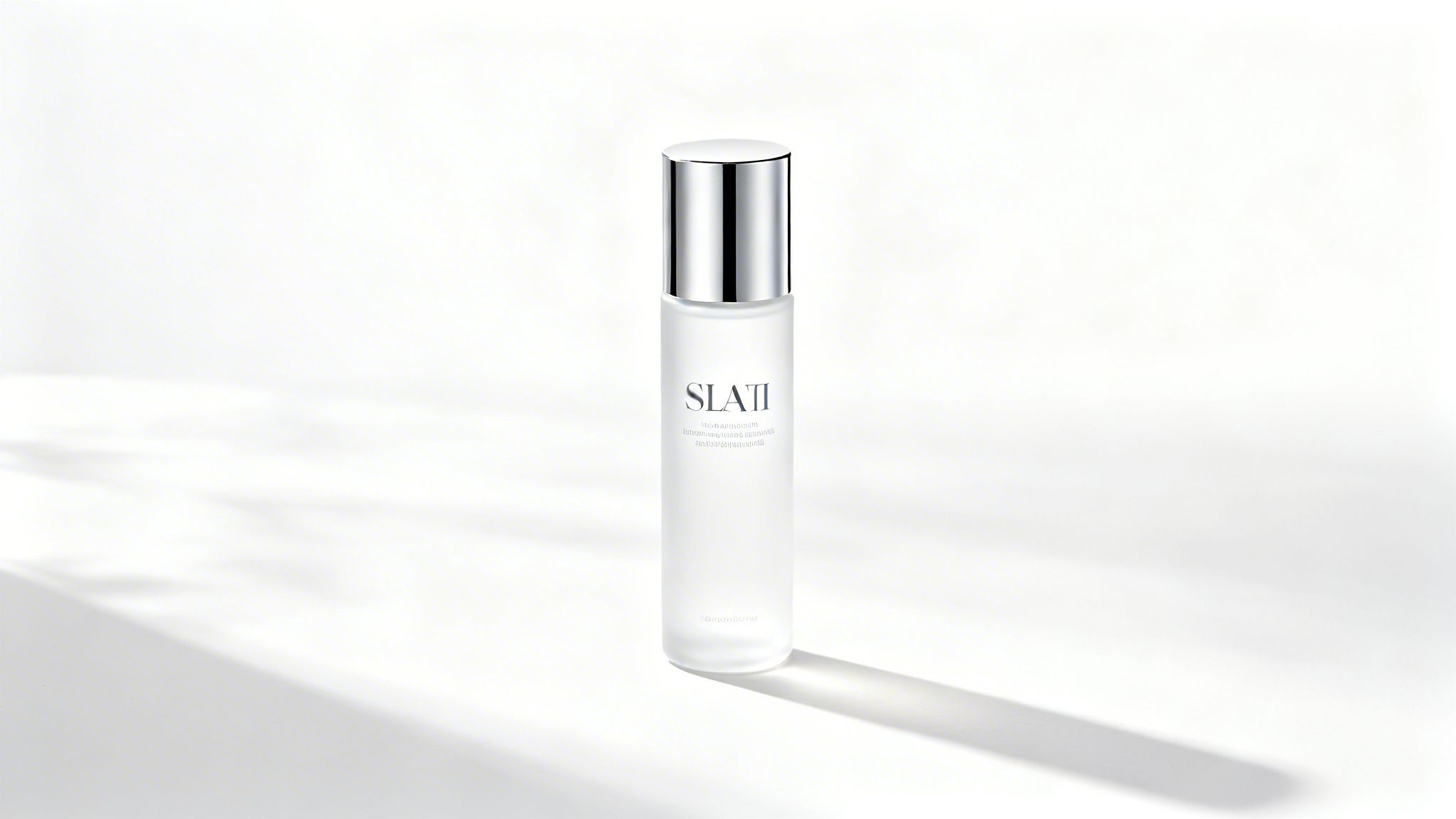
Engineer a Premium Feel
Your main image is your first and often only chance to signal quality. The right visual choices can make your product look more valuable than the competition, justifying a higher price point before the buyer even reads your copy.
This isn't an accident. It’s engineered with specific visual cues:
- Product Angle: The right angle adds weight and presence. It can highlight key features and make your product look more substantial and "heroic" in the frame.
- Lighting and Shadow: Professional lighting carves the product out from the background, creating depth that screams premium. Soft, grounding shadows suggest quality, while harsh, amateurish shadows look cheap.
The goal is to make your product look like the obvious, high-quality choice before the shopper even thinks about price.
Find Your Visual Hook
Go search your main keyword right now. You’ll see a wall of nearly identical products. Most sellers are lazy, using the same boring, front-on angle provided by their supplier.
This sea of sameness is your biggest opportunity.
Your job is to identify the dominant visual pattern and then intentionally break it. If every other bottle is standing up straight, shoot yours at a subtle 3/4 angle. If all the competition looks flat, use lighting to create dimension. You’re not trying to be weird—you’re trying to be distinct.
Make the Product the Hero
Visual hierarchy is a simple concept: your product must be the absolute hero of the image. Nothing else can compete for attention.
Your main image has one job: tell a distracted shopper what your product is in a split second. Anything that fights for that attention, even if technically compliant, will tank your click-through rate.
Your main image has one job: tell a distracted shopper what your product is in a split second. Anything that fights for that attention, even if technically compliant, will tank your click-through rate.
This means no distracting reflections, no busy cropping, and zero visual clutter. The product should be crisp, centered, and impossible to ignore. To really nail this, it helps to understand the science behind one main idea per image on Amazon to maximize clarity and impact. For a complete walkthrough of how to optimize every image in your stack, see our guide to Amazon product image optimization.
Finally, stop treating your main image as a one-and-done task. Use Amazon's "Manage Your Experiments" tool to A/B test new versions. Test a new angle. Test a different lighting setup. Let the data tell you which image actually earns more clicks and drives more sales.
How to Fix a Suppressed Listing Fast
A suppressed listing isn't just an alert in Seller Central—it's a sales-killing emergency. Every hour your product is offline, you're not just losing money; you're handing sales and search rank directly to your competitors. You need a fast, proven playbook to get back online, not a panicked guessing game.
The first step isn't to fix anything. It's to diagnose exactly what Amazon's bots think is wrong. Don't assume you know the reason.
Step 1: Pinpoint the Problem
Your first stop is the Listing Quality Dashboard in Seller Central. This is mission control for listing health. It will usually flag the specific ASIN and give a general reason for the suppression, like "Main image has a non-white background."
But here’s the catch: the dashboard tells you what the bot flagged, but not always why. A "non-white background" error could be a faint shadow, a slight color cast, or a single stray pixel at the edge of the frame. Your job is to play detective.
Step 2: Upload a Clean Image
Once you've identified the likely culprit, create a new, 100% compliant image. Don't just edit the old one—you might miss what the bot is catching. Adhere to the amazon main image rules as if your business depends on it, because right now, it does.
Uploading the fix is straightforward:
- Navigate to Manage Inventory and find the suppressed ASIN.
- Click Edit, then go to the Manage Images tab.
- Delete the non-compliant image entirely. Don't just replace it; remove it.
- Upload your new, perfectly compliant image and hit Save.
The listing usually reactivates within a few hours, but allow up to 24 hours for Amazon’s system to re-crawl the image and lift the suppression.
Do not repeatedly upload the same failed image, hoping for a different result. If the suppression isn't lifted after a day, the automated system is likely stuck. It's time to escalate to a human.
Do not repeatedly upload the same failed image, hoping for a different result. If the suppression isn't lifted after a day, the automated system is likely stuck. It's time to escalate to a human.
Step 3: Escalate to Seller Support
If you've uploaded a flawless image and the listing is still suppressed after 24 hours, the bot is probably stuck in a loop. Your only way out is to open a case and get a human from Seller Support to intervene.
When you open the case, be brief and professional. Anger gets you nowhere.
Your case needs three things:
- A Clear Subject: "Listing Suppressed for Image Violation - ASIN [Your ASIN] - Compliant Image Attached"
- A Simple Explanation: State that your listing for ASIN [Your ASIN] is suppressed for an image violation. Explain that you've uploaded a new, fully compliant image that meets all rules but the suppression won't lift.
- Your Evidence: Attach the new image file directly to the case. This is non-negotiable. It gives the agent everything they need to see you've done your part and lets them manually override the system.
By giving them a clear problem and the solution on a silver platter, you make it easy for them to fix it. This is the fastest path to resolving stubborn suppressions and turning your sales back on.
Of course, the best strategy is to avoid these problems entirely. Using a research-driven image service ensures your images are compliant from day one, so you can focus on selling, not firefighting.
The Main Image Pre-Flight Checklist
Theory is useless without execution. This checklist breaks down every critical rule and optimization tactic into a simple, actionable process.
Use it to audit your current main images or to guide your next photoshoot. Getting this right isn’t just about avoiding suppression. It’s about creating a main image that acts as a lever for your entire business, from PPC costs to organic rank.
Treat every point here as non-negotiable.
Technical Compliance Audit
These are the black-and-white rules. One mistake here and your listing can disappear from search overnight.
- Background: Your background must be pure digital white. No exceptions. Use a color checker to confirm the value is exactly RGB (255, 255, 255). Even a hint of off-white or a faint shadow is enough to trigger a bot.
Background: Your background must be pure digital white. No exceptions. Use a color checker to confirm the value is exactly RGB (255, 255, 255). Even a hint of off-white or a faint shadow is enough to trigger a bot.
- Pixel Size: The image must be at least 1,000 pixels on its longest side. Don't stop there. Aim for 2,000 to 3,000 pixels for a crisp, professional look that enables high-quality zoom.
Pixel Size: The image must be at least 1,000 pixels on its longest side. Don't stop there. Aim for 2,000 to 3,000 pixels for a crisp, professional look that enables high-quality zoom.
- File Type: Stick to JPEG, TIFF, or PNG. For the best balance of quality and web-friendly file size, JPEG is almost always the right call.
File Type: Stick to JPEG, TIFF, or PNG. For the best balance of quality and web-friendly file size, JPEG is almost always the right call.
- Product Size: The product itself must fill at least 85% of the frame. Don't just eyeball this—measure it. This ensures your product is large and clear in the crowded search results.
Product Size: The product itself must fill at least 85% of the frame. Don't just eyeball this—measure it. This ensures your product is large and clear in the crowded search results.
Content & Style Compliance Audit
This is where most sellers get into trouble. These rules dictate what can (and can't) be in the picture with your product.
- No Added Text or Logos: The image must be sterile. That means absolutely no promotional text, no watermarks, no brand logos, and no badges like "Made in USA" or "New." The only text allowed is what’s physically part of your product.
No Added Text or Logos: The image must be sterile. That means absolutely no promotional text, no watermarks, no brand logos, and no badges like "Made in USA" or "New." The only text allowed is what’s physically part of your product.
- Product Representation: You must show the customer exactly what they will unbox. Selling a 3-pack? Show all three units. Selling a bundle? Show every single item included. No surprises.
Product Representation: You must show the customer exactly what they will unbox. Selling a 3-pack? Show all three units. Selling a bundle? Show every single item included. No surprises.
- Props and Packaging: The product must be shown completely out of its packaging. Props are forbidden unless they’re essential to show function or scale (like a phone inside a phone case). No decorative or "lifestyle" clutter.
Props and Packaging: The product must be shown completely out of its packaging. Props are forbidden unless they’re essential to show function or scale (like a phone inside a phone case). No decorative or "lifestyle" clutter.
- Image Integrity: It has to be a real photograph of the real product. No illustrations, 3D renders, or placeholders are allowed for the main image.
Image Integrity: It has to be a real photograph of the real product. No illustrations, 3D renders, or placeholders are allowed for the main image.
Think of this as your pre-flight inspection. Running every main image through this process before you launch is the difference between a smooth takeoff and a costly, sales-killing suppression that hands all your momentum to the competition. Master these Amazon main image rules to protect your revenue.
Think of this as your pre-flight inspection. Running every main image through this process before you launch is the difference between a smooth takeoff and a costly, sales-killing suppression that hands all your momentum to the competition. Master these Amazon main image rules to protect your revenue.
Frequently Asked Questions About Main Image Rules
Even the most detailed guide can't cover every niche scenario. These are the most common questions we hear from sellers trying to navigate the gray areas of Amazon's main image rules.
Here are the straight answers.
Can I Use 3D Renders for My Main Image?
No. Full stop.
Your main image must be a real photograph of the physical product. Amazon is incredibly strict here because they need to show the customer exactly what they're getting.
High-quality 3D renders are fantastic for secondary images or A+ Content, especially for showing internal components or features you can't see from the outside. But using one as your main image is a fast track to getting suppressed.
How Many Products Should I Show for a Multi-Pack?
Show the exact quantity of product the customer is buying.
If you're selling a 4-pack of soap, your main image needs to show all four bars. Showing a single bar or just the box is misleading and a guaranteed way to get flagged. The main image sets the expectation—make sure it's an honest one.
Why Is My Compliant Image Still Getting Flagged?
This is a classic—and incredibly frustrating—problem. It almost always comes down to two things: a caching delay in Amazon's system or an automated review bot that got "stuck."
First, wait 24 hours. Sometimes the system just needs time to catch up. If it’s still suppressed after a day, it’s time to open a case with Seller Support.
When you open the case, be direct.
- State the ASIN.
- Explain that you've uploaded a new, compliant image.
- Attach the new image file directly to the case.
This gives the support agent all the evidence they need to manually push the approval through and override the stuck bot.
What Is the Most Common Main Image Mistake?
By far, the most frequent violation is adding text, badges, or logos.
Sellers are always tempted to slap on a "Sale" banner, a "Made in USA" badge, or their own logo to stand out. Don't do it. Amazon’s bots will find and suppress these images almost instantly.
The main image must be completely sterile: just your product on a pure white background. Save all of your text and graphics for your secondary images and A+ Content, where they belong.
If you're dealing with a compliance issue that feels more complex, it's often better to talk to experts who handle these challenges every single day. You can get in touch with our team for specific image guidance.
Ready to Upgrade Your Amazon Listing Images?
Get 7 research-driven images for your product. $400 flat fee, 2-3 day turnaround.
Get Your Images Now