Stop Guessing: A Strategic Guide to Professional Amazon Product Photography That Converts
Let's get one thing straight: your Amazon product images are either making you money or actively losing you money. There is no middle ground.
Most sellers treat professional amazon product photography as a final, low-priority box to tick before launch. This is a catastrophic mistake that kneecaps an otherwise solid product. This isn’t about "pretty pictures." It's about engineering a visual sales machine that turns traffic into revenue 24/7.
Your Images Are Your #1 Sales Driver
Too many sellers operate under the dangerous myth that a great product sells itself. Not on Amazon.
On Amazon, your images sell first; your copy sells second. A shopper scrolling through a search results page (SERP) makes a go/no-go decision in under three seconds. That decision is based almost entirely on your main image.
If your main image fails to stop the scroll and communicate value, your click-through rate dies, your ad relevance score tanks, and Amazon's algorithm buries your listing.
This isn't theory. "Good enough" photos bleed your business dry in measurable ways:
- They gut your PPC efficiency. You can pour thousands into ads, but if your images don't convert that paid traffic, you're just lighting money on fire. A low conversion rate signals to Amazon that your product is irrelevant, driving up your ad costs and destroying your placement.
- They suppress your organic rank. Click-through rate (CTR) and conversion rate (CVR) are primary ranking signals for the A10 algorithm. Weak visuals mean poor engagement, telling Amazon your competitors' listings are a better choice for customers.
- They trap you in price wars. When your images fail to build perceived value, you have zero pricing power. The only tool you have left is to lower your price, starting a race to the bottom that destroys your margins and starves your business.
The Mindset Shift: From Pictures to Performance
The single biggest mistake sellers make is viewing photography as a technical chore—just hitting pixel dimensions and getting a white background. This misses the point entirely.
Professional Amazon product photography isn't about compliance; it's about persuasion. Every image slot is an opportunity to crush an objection, answer a question, or trigger an emotion that pulls a customer closer to the "Add to Cart" button.
Your images aren’t a cost center; they are your primary sales engine. Investing in a strategic, research-driven approach to your visuals is the single most powerful lever you can pull to increase conversions, justify a higher price, and build a real brand on Amazon.
This guide isn't about basic tech specs. It's about the buyer psychology that drives sales on the world's most competitive marketplace. We're breaking down a repeatable framework for creating images that don't just look good, but perform.
Build a High-Converting Shot List from Research, Not Assumptions
Exceptional Amazon product photography doesn't start with a camera. It starts with research.
Guessing is the fastest way to burn thousands of dollars on images that fail to perform. You end up with a folder of aesthetically pleasing photos that do absolutely nothing to convert traffic. A strategic shot list isn't built on what you think looks good; it's engineered from hard data.
This pre-production work is the primary differentiator between listings that dominate and those that merely exist. It’s a process of reverse-engineering your market to determine exactly which visuals will connect with your ideal buyer. This isn't about creativity for its own sake. It's about using images with surgical precision to achieve a specific result: the click, the add-to-cart, the sale.
This flowchart illustrates the all-too-common path sellers take. They make mistakes, actively sabotage their own listings, and then, finally, figure out how to win with a data-driven plan.
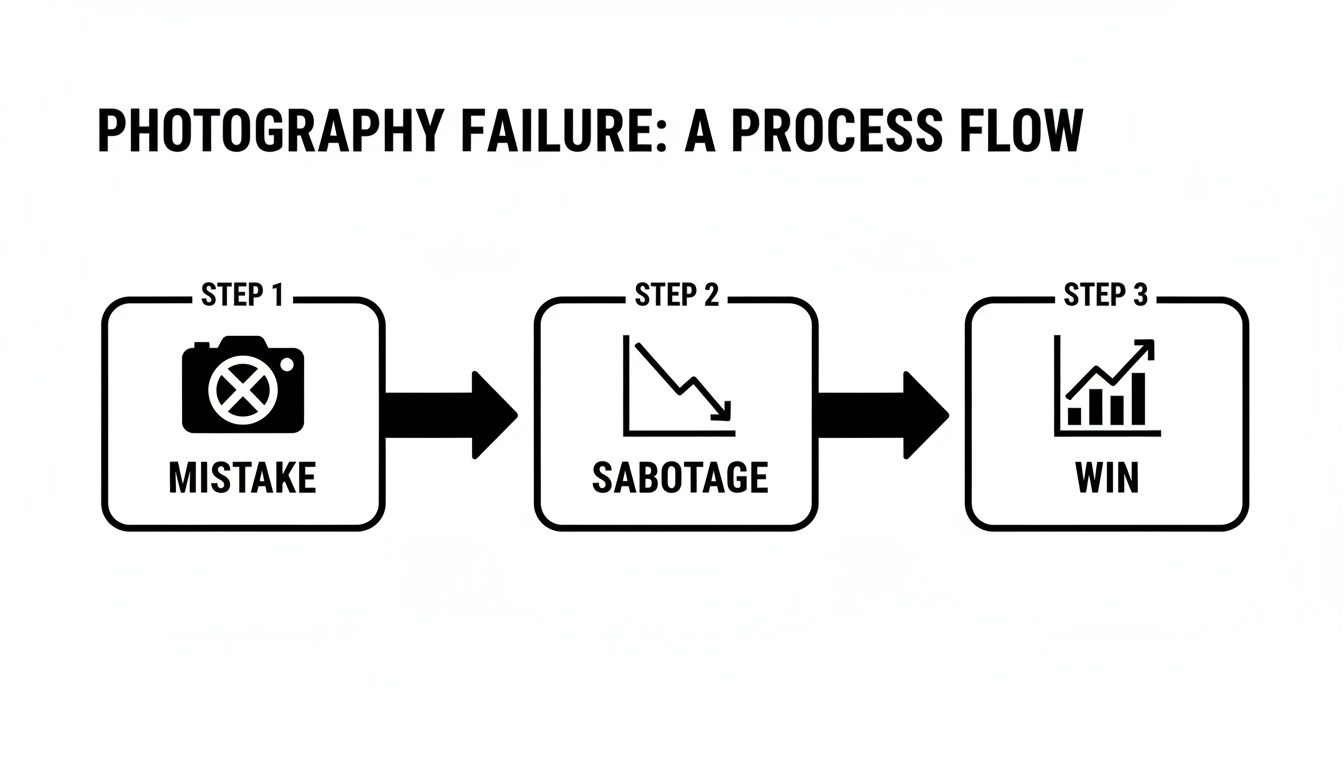
The critical takeaway? Failure usually begins by grabbing the camera first (the mistake). This leads to weak images that kill your metrics (the sabotage). Real success starts with research, which builds a strategy that lifts your listing's performance (the win).
Reverse-Engineering Competitor Visuals
Your top competitors are a goldmine of free market data. They've already spent the time and money to figure out what works—or what doesn't. Your job is to dissect their visual strategy to identify patterns and find opportunities.
Start by analyzing the top three to five organic results for your primary keywords. Ignore sponsored placements for this exercise.
- Deconstruct Their Image Stack: What is the job of each of their seven images? Map out their hero, lifestyle, infographic, and feature shots. What are they trying to accomplish with each one?
- Identify Common Threads: Are they all using comparison charts? Do they all feature a specific demographic in their lifestyle shots? These patterns indicate what the market has been trained to expect.
- Find the Gaps: What questions are they not answering with their images? What customer objections are they failing to address? This is where you can establish a significant competitive advantage.
This isn't about imitation. It's about understanding the visual language of your niche so you can either meet market expectations or strategically break them to stand out. The goal is to join the conversation already happening in the customer's mind.
Mining Reviews for Visual Gold
Customer reviews are the most direct feedback you will ever receive. They are a literal transcript of your customers' biggest pains, desires, questions, and objections. Digging through reviews—both yours and your competitors'—is the single most effective way to build your shot list.
A single five-star review explaining why a customer loves a specific feature is worth more than a dozen brainstorming sessions. It’s raw, unfiltered insight into the value propositions that actually drive a purchase.
Group the feedback into themes. Look for phrases that appear repeatedly related to:
- Purchase Drivers: What specific features or benefits are constantly mentioned in positive reviews? These are your core selling points and must be visualized.
- Unanswered Questions: What are people asking in the Q&A section? Every question is a flashing red light indicating your current visuals (and copy) are failing.
- Objections and Concerns: What are the common complaints in one- and two-star reviews? Your images need to proactively tackle and neutralize these worries before a shopper even considers them.
- Unexpected Uses: Are customers using your product in ways you never anticipated? Showing this in a lifestyle shot can open up entirely new use cases and broaden your audience.
This process directly translates customer language into a concrete visual brief. If buyers consistently praise your product's durability, a shot demonstrating its tough construction is non-negotiable. If they complain it’s smaller than they expected, a clear image showing its scale is mandatory.
This approach ensures your professional Amazon product photography isn't just aesthetic—it's a powerful sales tool. High-quality, strategic visuals can deliver a significant uplift in sales, turning an underperformer into a category leader.
To get deeper into the research process, check out our guide on creating a strategic shot list over on our blog.
Executing the Seven Essential Amazon Image Types
Your shot list is the map, but execution is where you win or lose the customer. Every single one of your seven image slots has a specific job in the buyer's journey. Wasting even one slot on a redundant or weak image is a direct hit to your conversion potential.
Think of your image stack as a micro-funnel, engineered to guide a shopper from initial curiosity (main image) through understanding and desire (secondary images), and finally to a confident "Add to Cart." When this is done correctly, buying your product feels like the most logical next step.

To nail the execution, you must understand the strategic role of each image. They are targeted sales assets, not just pretty pictures.
Here's a breakdown of how each slot should function to drive a purchase decision.
The Strategic Purpose of Each Amazon Image Slot
| Image Slot | Primary Conversion Goal | Key Execution Tips |
|---|---|---|
| Main Image | Earn the Click (CTR) | Pure white background (RGB 255, 255, 255). Product fills 85% of frame. No text/props. Show depth with a slight angle. |
| Lifestyle 1 | Create Emotional Context | Show the product in a realistic, aspirational setting. Help the customer visualize it in their life. Sell the outcome, not just the object. |
| Lifestyle 2 | Reinforce a Core Benefit | Zoom in on a specific use case that solves a key pain point. If it saves time, show a happy, relaxed person. If it’s for travel, show it on the go. |
| Infographic 1 | Translate a Feature to a Benefit | Pick the #1 feature and explain why it matters. Instead of "10,000 mAh Battery," say "3 Full Days of Charge." Use icons and minimal text. |
| Infographic 2 | Address a Key Objection | Use your research. If reviews mention durability concerns, create an image showing its tough construction. Visually prove its quality. |
| Comparison Chart | Neutralize Competition | Pit your product against unnamed competitors. Highlight 3-5 features where you clearly win. Control the narrative and keep shoppers on your page. |
| Dimension/Scale Image | Reduce Returns | Show the product next to a hand, a phone, or with clear measurement callouts. Manage size expectations upfront to prevent "smaller than I thought" returns. |
Mastering this sequence turns your product page from a simple listing into a high-powered conversion engine. Now, let's dive deeper into how to execute each of these critical shots.
The Main Image: Your Click-Through Rate Champion
This image has one job: stop the scroll and get the click. In a sea of search results, this is a pure CTR play. It must be clean, sharp, and instantly communicate what you're selling.
Amazon’s Terms of Service are not a suggestion. The background must be pure white (RGB 255, 255, 255), and your product must fill at least 85% of the frame. Zero text, zero logos, zero props. Violate these rules, and you risk listing suppression.
The most common mistake sellers make is using a flat, lifeless angle. To pop off the page, shoot from a subtle three-quarter angle to reveal depth and make the product feel more tangible. Professional lighting is non-negotiable—it should highlight the product’s form without creating harsh shadows or blowing out details. Treat this single image with the gravity it deserves; it's your gateway to traffic.
Lifestyle Images: Forging an Emotional Connection
Once they click, your secondary images must pull them in. Lifestyle shots answer the customer's unspoken question: "How will this product make my life better?"
This is where you stop selling an object and start selling an outcome. Selling a premium coffee grinder? Don't just show it on a counter. Show it as the centerpiece of a serene, aspirational morning routine. You're creating an emotional resonance that helps the customer picture themselves already owning and loving your product.
Key principles for effective lifestyle shots:
- Be Authentic, Not Sterile: Ditch the generic stock photo aesthetic. The scene should feel aspirational yet achievable.
- Context is Everything: Props and environment must reinforce the product's core promise, whether that's convenience, luxury, or ruggedness.
- The Human Touch: If you use models, ensure they reflect your target audience. Their interaction with the product must feel natural and genuine, not staged.
Infographics: Making the Logical Case
After hooking them emotionally, you must seal the deal with logic. Infographics are your workhorses for communicating features and benefits in a way that’s fast and digestible, especially for mobile shoppers who are scanning, not reading.
A great infographic doesn't just list specs; it connects a feature directly to a tangible benefit. Use a clean layout with large, legible text and visual cues like arrows or icons to guide the eye.
A powerful infographic never just says "10,000 mAh Battery." It says, "Power Your Phone for 3 Full Days." It translates technical jargon into a real-world solution.
This is the perfect place to leverage your review mining. If customers consistently rave about a specific feature, dedicate an entire infographic to it. This demonstrates that you're listening and understand what actually matters to them.
Comparison Charts: The Competitive Knockout
Assume every shopper is comparing your product to at least two others. A comparison chart lets you control that narrative directly on your listing.
This is your tool for surgically neutralizing the competition. Place your product on the left, highlight 3-5 key features where you have a clear advantage, and use simple checkmarks and X's to show how you stack up. The key is to be honest but to frame the comparison around your unique strengths. This builds massive trust and prevents the customer from clicking away to continue their research.
Scale and Dimension Images: Your Return Reducer
"It was smaller than I thought." This phrase in a one-star review is a dagger, and it's a completely self-inflicted wound from poor photography.
A dedicated scale image is the cure. Show your product next to a universally understood object—a hand, a coffee mug, a smartphone. Or, simply use clean dimension callouts on a product photo. This manages expectations before the purchase, which can drastically cut your return rate and protect your seller metrics. The other six images are on offense, selling the product; this one is on defense, protecting the sale.
Mastering Technical Specs and Mobile-First Design
Hitting Amazon's technical requirements isn't the goal. It's the bare minimum—the price of entry to get your images on the platform.
The real work, the kind that drives sales, begins when you stop thinking about compliance and start designing for the dominant user experience: the mobile screen.
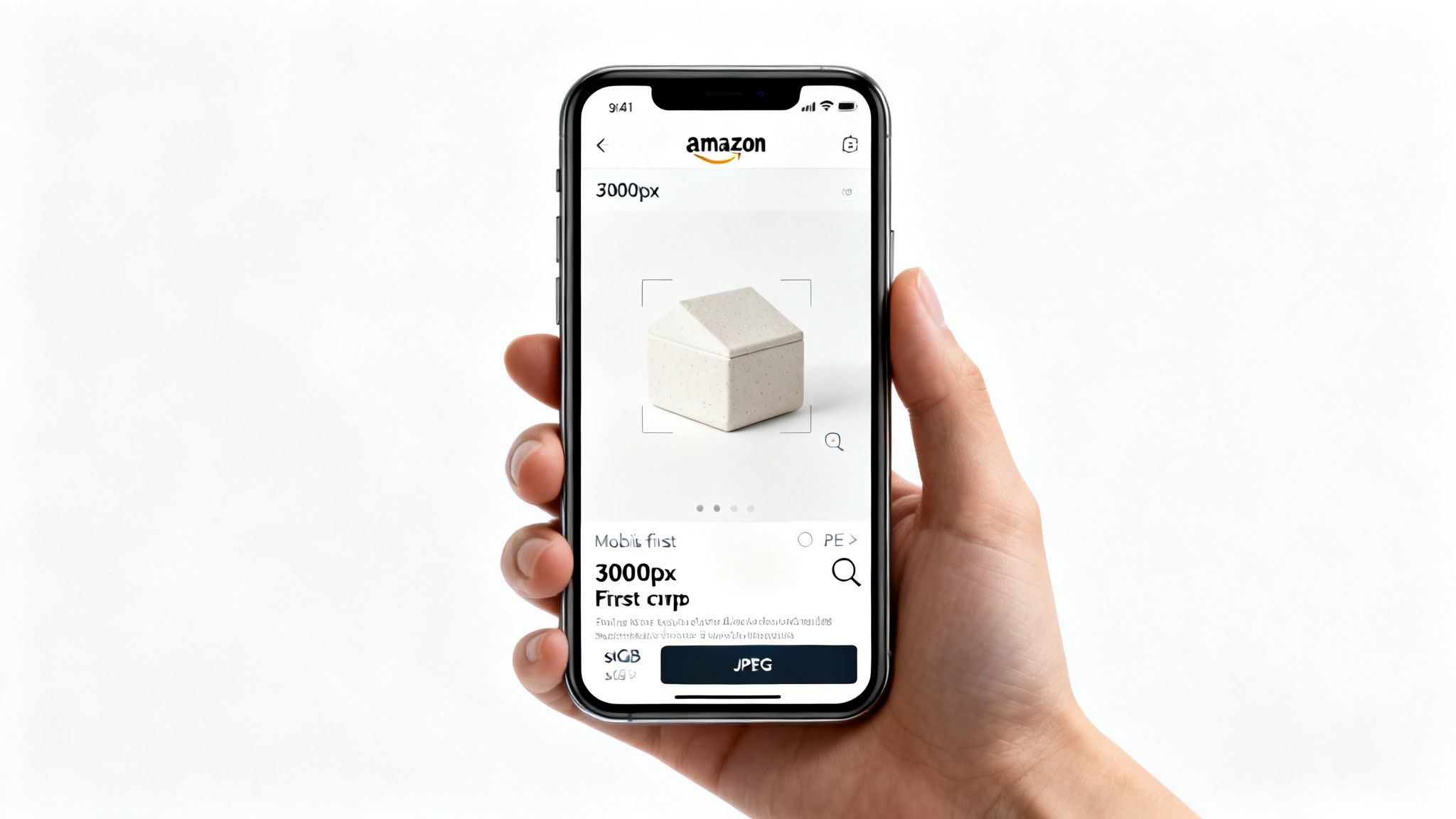
Let's get the non-negotiables out of the way. Get these wrong, and you risk listing suppression.
- File Format: Use JPEG. TIFF is technically allowed but creates massive files that are unnecessary for the web.
- Color Mode: Use sRGB. Period. CMYK is for print and will look washed out online.
- Resolution: The absolute minimum is 1000px on the longest side to enable zoom. You should be aiming for 3000px or more. This gives shoppers a crisp, detailed zoom experience that signals quality and builds trust.
- Main Image Background: It must be pure white—RGB (255, 255, 255). No off-white, no light gray, no subtle gradients. No exceptions.
Meeting these specs just gets you on the field. Winning requires a total shift in perspective.
The Mobile-First Imperative
Your design canvas isn't a 27-inch monitor. It's a 6-inch screen held in someone's hand while they wait for coffee. Most sellers forget this, and it costs them sales daily.
With well over 50% of Amazon traffic in the US now originating from mobile devices, your images must be instantly legible and impactful. If a shopper has to squint to read your infographic or can't immediately understand your product's function, you've already lost.
A mobile-first approach isn't a "nice-to-have"; it's a core conversion principle. Designing for the smallest screen first forces clarity and discipline, ensuring your message is potent and instantly understood by the majority of your audience.
Every image must pass the "thumb test." Can a customer understand the key benefit in the fraction of a second it takes to flick their thumb past it?
Designing for the Small Screen
You don't make images mobile-friendly by simply shrinking them. You must adopt a different compositional mindset from the start.
Tight, Aggressive Cropping Mobile screens punish wasted space. Eliminate extra whitespace. Crop in tight. Fill the frame. Make your product the undeniable hero of the shot. This is especially critical for lifestyle images where the product can get lost in a busy scene.
Bold, Minimalist Text Your infographics must be brutally efficient. Use a large, clean, sans-serif font. Limit yourself to a single headline and a few key bullet points. If you have more than 5-7 words calling out a feature, it’s too many. The goal is instant scannability, not a technical manual.
High-Contrast Visual Hierarchy Use color, scale, and placement to force the shopper's eye exactly where you want it. The most important benefit should be the biggest, boldest element in the frame. Avoid cluttered layouts with competing focal points. On mobile, simplicity always wins.
If you really want to stand out, consider video. Using a solid product video maker can help you create content that not only meets Amazon's specs but is designed with these same mobile-first principles. A well-designed video can do more to boost engagement and conversion than any static image.
Ultimately, mastering technical specs is easy. The real work is adopting a mobile-first design philosophy. When you prioritize clarity, boldness, and tight composition, your visual sales pitch will connect with the most important segment of Amazon shoppers.
How to Brief and Manage Photography Partners
Whether you hire a freelancer or work with an agency, the quality of your output is a direct reflection of the quality of your input.
A weak, vague brief guarantees mediocre results, endless revisions, and wasted money. A strong brief is the blueprint for images that convert.
Your goal is to eliminate guesswork. A professional photographer shouldn’t have to guess your brand’s vibe or which features matter most to a customer. You’ve already done the hard work of mining reviews and analyzing competitors; the brief is where you translate that data into concrete visual instructions.
A detailed, research-driven brief isn't micromanagement. It's a strategic tool for getting it right the first time.
The Anatomy of a Bulletproof Creative Brief
Your brief must be more than a simple shot list. It’s a complete package that aligns your creative partner with your business goals.
A comprehensive brief must include:
- The Data-Driven Shot List: This is the core of the document. Detail the strategic purpose of each of the seven image slots based on your customer research. For every image, specify the primary objection it must overcome or the key benefit it must communicate.
- Brand Guidelines: Don't just send a logo file. Provide fonts and color hex codes, but more importantly, define your brand’s personality. Is it rugged and adventurous or sleek and modern? This dictates the entire mood of the lifestyle shots.
- Competitor Examples (Good and Bad): Show, don’t just tell. Include links to competitor listings you admire and—just as importantly—those you want to avoid. Add specific notes like, "Love the lighting here, but their text is unreadable on mobile," or "This lifestyle shot feels completely fake and staged."
- Infographic Callouts: Never tell a photographer to "make an infographic about durability." Provide the exact headline and bullet points you want visualized. For example: "Headline: Built to Last. Bullets: 1. Reinforced Steel Core. 2. Drop-tested from 10 feet. 3. IP68 Waterproof."
Vetting Partners and Setting Expectations
Not all photographers are created equal. Someone who shoots beautiful portraits likely has no idea how to create a high-converting Amazon comparison chart. You must vet partners specifically for their experience with professional amazon product photography.
When reviewing a portfolio, search for direct evidence of their ability to create the seven essential image types. Do they have clear, compelling infographics? Do their lifestyle shots feel authentic and on-brand? If their portfolio is 90% white background hero shots, they are not the right partner for a full image stack.
Amazon's strict image guidelines are critical for success. The rules—from pure white backgrounds and 85% frame occupancy to the zoom-enabled 1000+ pixel resolution—are non-negotiable for building trust and boosting conversions. To learn more about how these specs impact your listing, discover more insights about Amazon's best practices on wakecommerce.co.uk.
Managing Feedback and Revisions
Constructive feedback is specific and actionable. "I don't like it" is useless. "The shadow on the left side of the product is too harsh; can we soften it to bring out more detail?" is productive. Tie every piece of feedback back to the original brief and your conversion goals.
Be realistic about timelines and pricing. High-quality work isn't cheap or instantaneous. Expect a professional project to take several days to a week.
A clear brief minimizes the need for revisions, but you should always agree on a set number of revision rounds upfront. This prevents scope creep and unexpected costs. To get a better sense of pricing and packages, you can check out our streamlined order process. This approach is all about making smart investments and building efficient creative partnerships.
Your Images Are a Force Multiplier
Let's pull this all together. Professional Amazon product photography isn't just another line item on a spreadsheet; it's a force multiplier for your entire business.
Strategic images directly and measurably improve every metric that Amazon's algorithm values. They become the engine driving your growth and profitability, creating a flywheel effect where success builds on itself. When you get this right, the impact ripples through your whole operation.
From Cost Center to Profit Driver
Sellers who treat their images like a simple box to check are actively leaving money on the table. A research-driven, professionally executed image set is an investment with a clear and substantial return.
Here's how that plays out:
- Higher CTR Boosts Organic Rank: A main image that stops the scroll earns more clicks in search results. That improved click-through rate is a massive signal to Amazon's A10 algorithm, directly pushing your product up the organic rankings.
- Better CVR Improves PPC Efficiency: High-converting secondary images turn that traffic into sales. A higher conversion rate means a lower ACoS, making every ad dollar work harder and more profitably.
- Stronger Brand Perception Justifies Premium Pricing: Exceptional visuals build trust and communicate quality. This increase in perceived value allows you to command a higher price, insulating you from race-to-the-bottom competitors and fundamentally improving your profit margins.
The investment you make in a research-driven, professionally executed image set will deliver returns across every part of your Amazon business. It is the single most effective lever you can pull for immediate and long-term performance improvement.
Stop treating your images as a final step and start seeing them as the strategic foundation of your success. If you're curious about how a small team of obsessed experts tackles this, you can learn more about our mission and process.
This shift in mindset—from a simple checklist item to a core business driver—is what separates the listings that stall from the ones that dominate their market.
Frequently Asked Questions
Even savvy sellers have questions when it comes to visual strategy. Here are the straight answers to the most common ones we encounter about Amazon product photography.
How Often Should I Update My Amazon Product Photography?
Don't think in terms of a calendar. Think in terms of performance. You should only update your images when the data tells you to, not just because six months have passed.
A refresh is in order if you see these signs:
- Your conversion rate is flat or dropping, even with good traffic. This is the clearest signal that your images have lost their punch.
- A new competitor shows up with superior visuals that make your listing look dated. You must adapt or you will be left behind.
- You're seeing new themes in customer reviews or questions—pain points or benefits that your current images don't address.
The best way to know if you need a change is to A/B test a new main image or a key infographic. Let the data tell you what's working with shoppers right now.
Can I Use 3D Renders Instead of Real Photos?
For your main image? Absolutely not. A real photograph on a pure white background is a non-negotiable part of Amazon's rules and customer trust. Using a render there is a fast track to listing suppression.
That said, high-quality 3D renders can be game-changers in your secondary image slots. They are perfect for showing complex internal parts, creating cutaway views to explain functionality, or building polished scenes that would be prohibitively expensive to shoot for real.
The key word is quality. A cheap, unconvincing render is an immediate red flag for buyers and will damage your conversion rate more than a basic photo ever could.
What Is More Important: Lifestyle or Infographic Images?
That's like asking if an engine is more important than the wheels. You need both. A winning listing uses lifestyle and infographic images together to guide a customer from "What's this?" to "Add to Cart."
Lifestyle images sell the emotional outcome. They help a customer visualize the product in their own life, creating the initial desire that pulls them deeper into your listing.
Infographics close the deal with logic. They tackle features, explain benefits, and neutralize objections. They build the confidence a buyer needs to make the purchase.
A strong image stack usually has two or three of each. Your pre-production research will tell you the right balance for your specific product and customer. If you want to know more about what to expect when working with us, take a look at our money-back guarantee for total peace of mind.
Ready to stop guessing and start converting? ProductShots creates research-driven Amazon listing images engineered to increase your sales. Get your complete, high-converting image set in 2–3 business days.